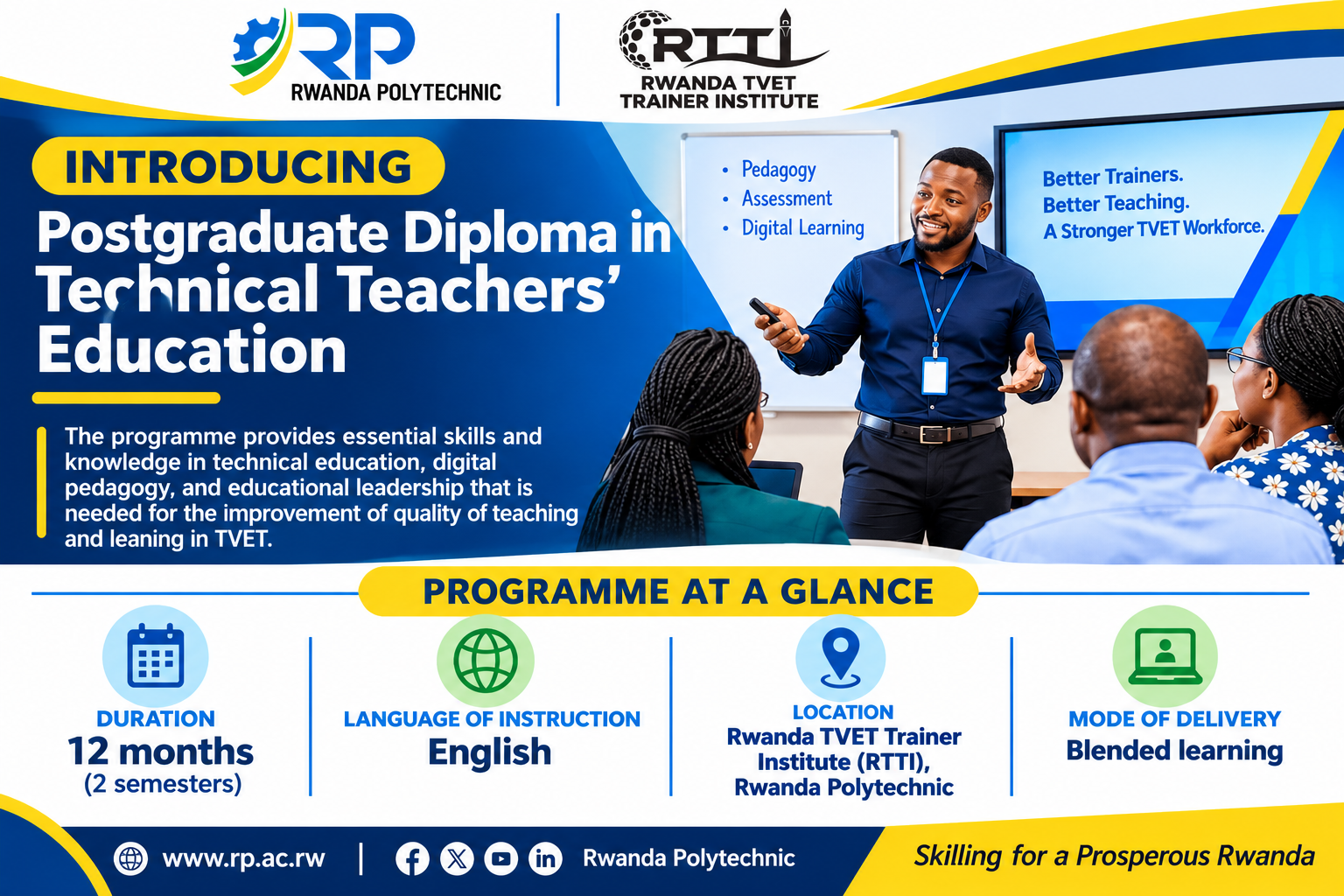
Rwanda Polytechnic PGD-TTE 2026-2027: Applications Open
Rwanda Polytechnic Opens Applications for the Postgraduate Diploma in Technical Teacher Education (PGD-TTE) 2026-2027.
If you want to build a career training Rwanda's next generation of skilled workers, this call is for you. Rwanda Polytechnic (RP), through the Rwanda TVET Trainer Institute (RTTI), has opened applications for the Postgraduate Diploma in Technical Teacher Education (PGD-TTE) for the 2026-2027 academic year. The call was issued in Kigali on 9 November 2026 and signed by Dipl.-Ing. Ephrem Musonera, Deputy Vice-Chancellor for ARIA at Rwanda Polytechnic.
Application Dates
Applications run from 10 to 22 November 2026. Late or incomplete applications will not be considered, so don’t leave this to the last day.
Application link: https://mis.rp.ac.rw/applications
About the Programme
| Detail | Information |
|---|---|
| Programme | Postgraduate Diploma in Technical Teacher Education (PGD-TTE) |
| Institution | Rwanda Polytechnic, through the Rwanda TVET Trainer Institute (RTTI) |
| Academic year | 2026-2027 |
| Duration | 12 months (1 academic year), full-time across 2 consecutive semesters |
| Mode of delivery | Flexible blended learning |
| Structure | Modular approach, 135 credits, delivered module by module |
| Place of delivery | Face-to-face sessions at the RTTI Building, Kicukiro, Kigali |
Who Can Apply?
The call is open to both in-service and pre-service applicants, including:
- Academic staff members from RP colleges
- Trainers and managers of TVET schools
- Qualified private and self-sponsored TVET practitioners
- Aspiring TVET trainers
Requirements
To be considered, you must:
- Hold a Bachelor’s degree in engineering or a technical field.
- Submit your academic transcripts.
- Submit an up-to-date Curriculum Vitae (CV).
- Submit a current employer recommendation letter (required for employed applicants only).
- Provide a copy of your National ID or a valid passport.
- Provide a passport-size photo.
- Provide an equivalence certificate, where applicable.
- Pay a non-refundable application fee of RWF 10,000.
Important Notes
- Admission is competitive and merit-based.
- Your Bachelor’s degree should be notarized.
- Names on your certificates and other documents must match your Rwandan National ID or passport.
- Late or incomplete applications will not be considered.
- A confirmation email is sent to your email address after a successful submission. If you don’t get one, your application has not been completed and you must submit it again.
- Successful candidates will be notified and guided on registration and orientation.
Tuition and Fees
- Tuition: RWF 1,350,000 per student
- Mandatory non-refundable administrative fees (paid once at registration):
- Application: RWF 10,000
- Registration: RWF 75,000
- Student identification: RWF 3,000
- Insurance and student welfare: RWF 2,000
Required Documents and Format
| Document | Format and size limit | Status |
|---|---|---|
| Passport photo | JPG or PNG, max 2 MB | Required |
| National ID or passport | JPG or PNG, max 2 MB | Required |
| Bachelor’s degree and academic transcripts | PDF, max 2 MB | Required |
| Curriculum Vitae (CV) | PDF, max 2 MB | Required |
| Current employer recommendation letter | PDF, max 2 MB | Where applicable |
| Equivalence certificate | PDF, max 2 MB | Where applicable |
| Application fee payment (RWF 10,000) | MoMo or SchoolGear SMS confirmation | Required |
Each file must not exceed 2 MB. Compress your scans before you start so you don’t get stuck at the upload stage.
How to Apply: Step by Step
Step 1: Access RP MIS and log in.
Go to https://mis.rp.ac.rw and check that the status indicator shows “Connected, you’re online”. If you already have an account, enter your email and password and click “Sign In”. New applicants should click the “Students Application” button at the bottom. If you forgot your password, click “Forgot your password?”.
Step 2: Start the application.
Review the portal information, the deadline and the countdown timer. New applicants click the green “Start application” button under “New applicant”. If you saved a draft, click “Login” under “Returning applicant”. Take a moment to read the “Application steps” and “Payment guidelines” panels.
Step 3: Choose your application category.
On the Identity step, open the “Applicant category” dropdown and select “Rwanda TVET Trainer Institute (RTTI)”. Choose your country of origin (for example, Rwanda), enter or select your completion year, then click “Proceed”.
Step 4: Create your student account.
Enter your Employee ID or National ID, then your first name, last name, National ID number and date of birth (YYYY-MM-DD). Add your email address (and confirm it) and your phone number (07XXXXXXXX). Create and confirm a strong password, then click “Submit profile”.
Step 5: Complete your profile and location information.
Log into your RP Student Portal and review the pre-filled “Primary Information”. Select your gender, disability status and refugee status. Fill in your province, district, sector, cell and village. Then verify the “Past Academics” record, which shows your department, Employee ID, university attended and graduation year.
Step 6: Upload your documents and choose your programme.
Upload your passport photo, National ID or passport, academic qualification (at least a Bachelor’s degree or equivalent), CV and, if you are employed, your employer recommendation letter. Each file must be 2 MB or less, in PDF, JPG or PNG. Under “Application Choices”, select your RTTI programme (department and course), then click “Save and Pay application fees”.
Step 7: Pay the RWF 10,000 application fee.
Note your registration number (for example, 26RTTI00002), email, National ID and full names. Then pick one method:
- Method 1, billing number: Click the blue “Here” button to generate your billing number.
- Method 2, web payment (SchoolGear): Visit equity.schoolgear.co.rw, enter your registration number, select “RP”, generate the billing number and complete the MTN Mobile Money payment.
- Method 3, MTN Mobile Money USSD: Dial *1827*1#, select “Pay Bill”, enter the billing number and confirm with your MoMo PIN.
Keep the SMS confirmation as your official proof of payment.
Step 8: Verify your application status.
Go back to the RP Student Portal after paying. You should see the green “Successful Application” banner. Check your registration number, Employee ID and programme choice, and confirm your uploaded documents show correctly. The message “Your application was received by RTTI Admission Team” should also appear. A confirmation email will be sent to the address you used when creating your account. Only complete and successful applications will be received and considered by the RTTI admission team.
Tip for non-RP graduates: If you did not study at an RP college, click the “verify” icon on the next page after entering your previous registration number, so you can enter your names and National ID manually.
Why This Programme Is Worth Considering
Rwanda’s TVET sector needs trainers who combine technical skills with strong teaching methods. The PGD-TTE is built for exactly that. The blended format also makes it easier to balance study with work, which helps if you’re already employed as a trainer or practitioner. READ Official attachment: Click link
Need Help With Your Application?
Applying online can be tricky, especially with document formats, notarization and payment steps. If you need support, we’re here to help.
Phone: +250 784 868 557
Email: info@thelightofengineer.com
Follow our WhatsApp channel for more opportunities: link
Please share this post with someone who could benefit. A technical graduate or TVET trainer in your circle may be looking for exactly this chance.
Log in to join the discussion.
Your experience matters
Rate The Light of Engineering
Tell us about your experience discovering or applying for this opportunity. Reviews are checked before publication.